
You do not need a developer or a long runway. A receipt reward campaign can be live in an afternoon if you know which decisions to make first.
- A receipt reward campaign on Shopify can be live in one afternoon, with no code and no developer.
- The real work is three decisions made before you touch the app: what triggers a reward, what the reward is worth, and where you promote it.
- Install, configure, test one claim end to end, then tell every customer the program exists from day one.
Setting up a receipt reward campaign feels like it should be a project. It is not. Most Shopify brands that try it are surprised at how little stands between them and a live program. The install is a few clicks. The configuration is mostly choosing values. The thing that takes time is making three decisions well before you start, and those decisions are the subject of this guide.
Make three decisions before you open the app
The brands that stall on setup almost always stall on the same thing: they open the campaign wizard before they know what they want the reward to do. Three questions answered up front remove almost every friction point downstream.
First: what purchase should trigger a reward? A single eligible product, any purchase above a certain value, or a specific category? The tighter your trigger, the easier it is to match receipts accurately and the more intentional the campaign feels to customers.
Second: what is the reward worth? Work back from your repeat-purchase margin. A reward should be large enough that a customer notices it and acts on it, and modest enough that the repeat order is still profitable. If a customer would not mention it to a friend, it is probably too small.
Third: where will you tell customers the program exists? A reward no one hears about changes no behaviour. Decide before launch whether you will use post-purchase email, your product page, or both. This is not a promotion plan for later. It is a launch requirement.
Install Snap Rewards and connect your store
With your three decisions in hand, install Snap Rewards from the Shopify App Store. The app connects to your store without code. Once installed, the campaign wizard walks you through the core configuration: eligible products, reward type, reward value and the customer-facing landing page.
Keep the landing page copy plain and specific. Tell customers exactly what they need to buy, how to upload their receipt, and what they will receive. Clarity here reduces support questions and increases claim rates. A page that makes a customer guess is a page that loses them.
Configure your reward type in the campaign wizard
Snap Rewards supports several reward types: voucher codes, points, cashback and prize-draw entries. For a first campaign, voucher codes or cashback are the easiest to communicate and the fastest to redeem. Customers understand them instantly, which shortens the gap between claim and repeat purchase.
Points make sense once you have a repeat-purchase base and want to build longer-term habits. Prize draws work well for product launches or seasonal pushes where you want high participation without issuing a discount on every claim. Start simple, then layer in complexity once you have seen how your customers respond.
Let the AI validation do the heavy lifting
One practical question brands ask is how the platform makes sure each claim is tied to a real, eligible purchase. Snap Rewards handles this with AI-powered OCR and a validation engine that reads the receipt, matches eligible products, checks the purchase date and confirms the claim has not been submitted before.
You do not need to review every claim manually. The system issues the reward when the receipt passes validation and holds it for review when something looks off. For most campaigns, the approval rate is high and the exception queue is small. The engineering underneath is the reason setup can be so fast: the complexity of verifying offline purchases and turning them into loyalty is handled for you.
Test one claim end to end before you go live
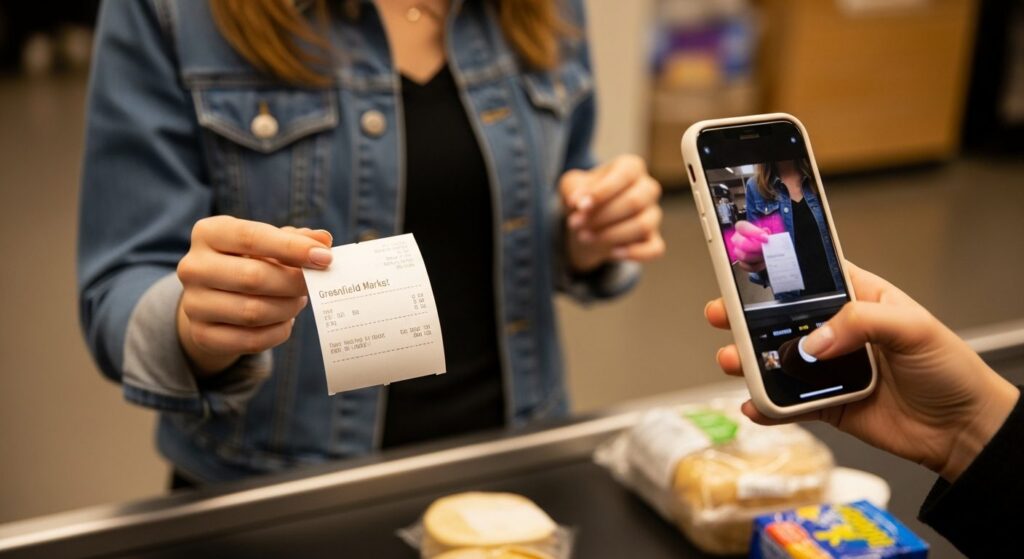
Before you turn the campaign on for customers, run a single test claim yourself. Buy an eligible product, photograph the receipt, upload it through your own landing page and confirm the reward lands and redeems correctly. This takes ten minutes and catches every class of configuration error before a real customer sees it.
Check that the reward email arrives, that the voucher or points appear in the customer account and that redeeming at checkout works cleanly. If any step breaks, it is far easier to fix in test than to unpick from live claims. One clean end-to-end test is the cheapest insurance you can buy.
Promote the program from the moment you launch
The fastest setup in the world does not help if customers never hear about it. On launch day, add the program to your post-purchase email, your order confirmation and at least one product page. These three placements reach customers at exactly the right moment: after a purchase, when they are already engaged and the idea of a reward is most relevant.
If you have a Klaviyo flow set up, Snap Rewards integrates directly so the reward notification can be part of your existing post-purchase sequence rather than a separate email. Keep the message short: what they earned, what it is worth, how to claim it. One clear sentence is enough.
Ready to see the campaign wizard for yourself? Snap Rewards is free to install and takes a few minutes to connect to your Shopify store. Get started free →
What to watch in your first two weeks
Once the campaign is live, two numbers tell you most of what you need to know: claim rate and redemption rate. Claim rate tells you whether customers are finding the program and going through with the upload. Redemption rate tells you whether the reward is motivating a return purchase. A low claim rate is usually a visibility problem. A low redemption rate usually means the reward value is too small or the expiry is too short.
Adjust one thing at a time and give each change a few days before drawing conclusions. Most brands find a working configuration within the first two weeks, and from there the program runs with very little intervention.
Campaign setup at a glance
Make three decisions
Trigger, reward value, promotion channel. Settle these before opening the app.
Install and configure
Shopify App Store install, campaign wizard, reward type and branded landing page.
Test one claim
Upload a real receipt yourself. Confirm the reward lands and redeems at checkout.
Launch and promote
Post-purchase email, order confirmation, product page. Tell every customer from day one.
Four moves from a blank store to a live receipt reward campaign.
A reward no one hears about changes no behaviour. Promotion is not a follow-up task. It is part of the launch.
Snap Rewards is a receipt rewards and loyalty platform for Shopify brands, turning everyday purchases into repeat customers. Install free and run your first campaign in an afternoon.
Get started freeBook a demo